
Website Color Palette Storage Best Practices For Designers & Developers
Choosing a website color palette is creative work.
Storing it properly is systems work.
And when those two don’t speak to each other, color becomes technical debt.
You’ve probably seen it before — hex values scattered across stylesheets, slightly different shades of the “same” blue creeping into components, contrast issues discovered after launch, and no clear source of truth for what the brand colors actually are.
A strong palette isn’t just about what looks good.
It’s about how that color information lives inside your website.
Here’s how to store website color palettes properly so they scale cleanly.
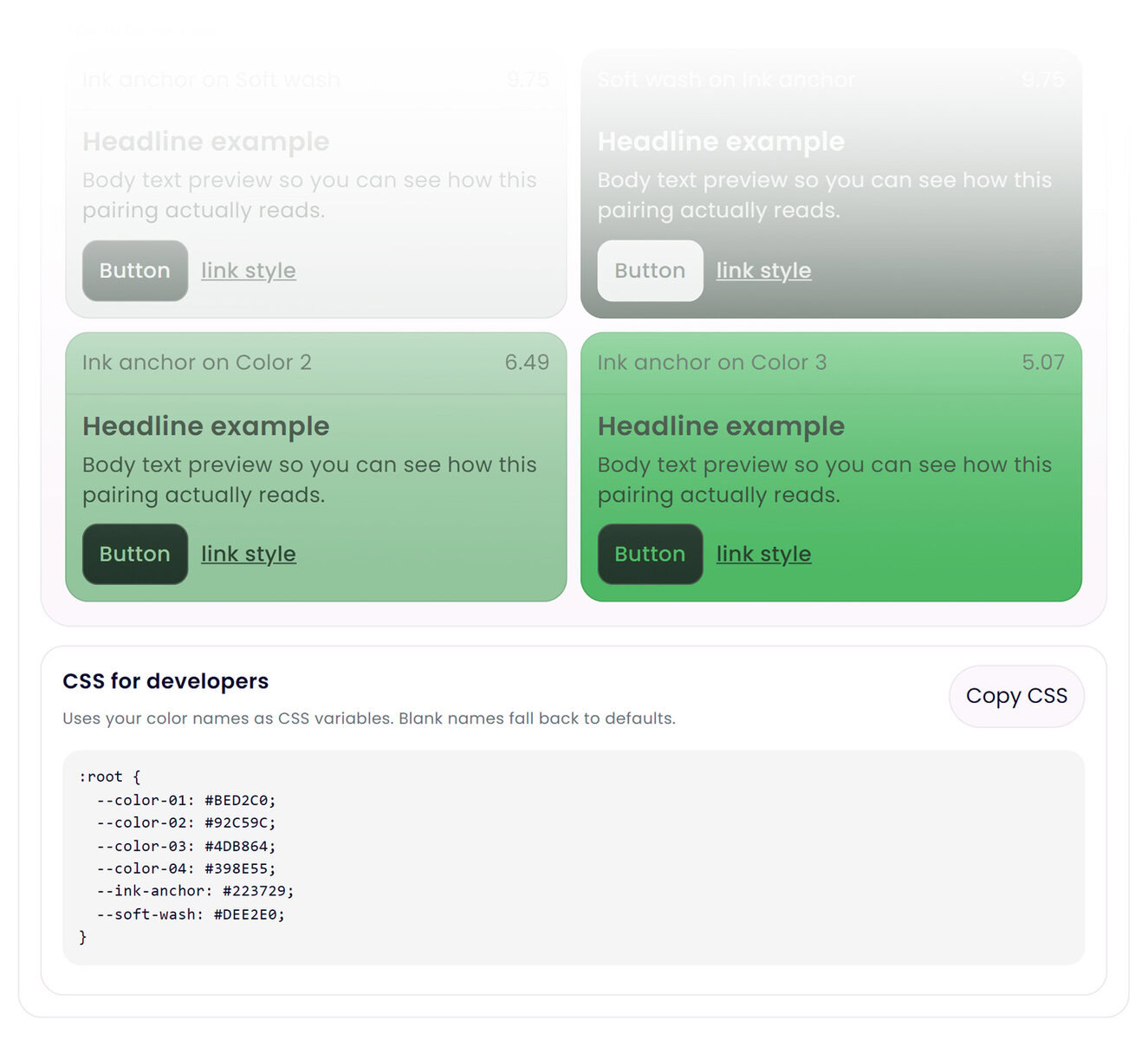
1. Establish a Single Source of Truth
Your official color palette should exist in one centralized place.
Not:
• Inside five random CSS files
• Hardcoded inside components
• Stored in a PDF no developer ever opens
A documented master palette should clearly define:
- Primary brand colors
- Supporting tones
- Neutral shades
- Approved background + text pairings
- Accessibility contrast validation
If you don’t have a central reference, drift is inevitable.
2. Store Colors in HEX for Web Environments
HEX values remain the most reliable storage format for web color systems.
While RGB and HSL are useful for manipulation and animation, HEX is:
• Compact
• Consistent
• Widely supported
• Easy to reference
Your master stored values should remain stable, even if derived formats are used elsewhere.
3. Use CSS Variables Instead of Hardcoding Values
Hardcoded hex values scattered throughout a codebase create long-term maintenance friction.
Instead, define color variables once:
:root {
  --primary: #241E8B;
  --accent: #F3E8F1;
  --neutral-dark: #1A1A1A;
}
Then reference those variables everywhere.
This allows your system to evolve without breaking consistency. A single update can cascade across the entire interface.
That’s how color stops being decorative and starts becoming architectural.
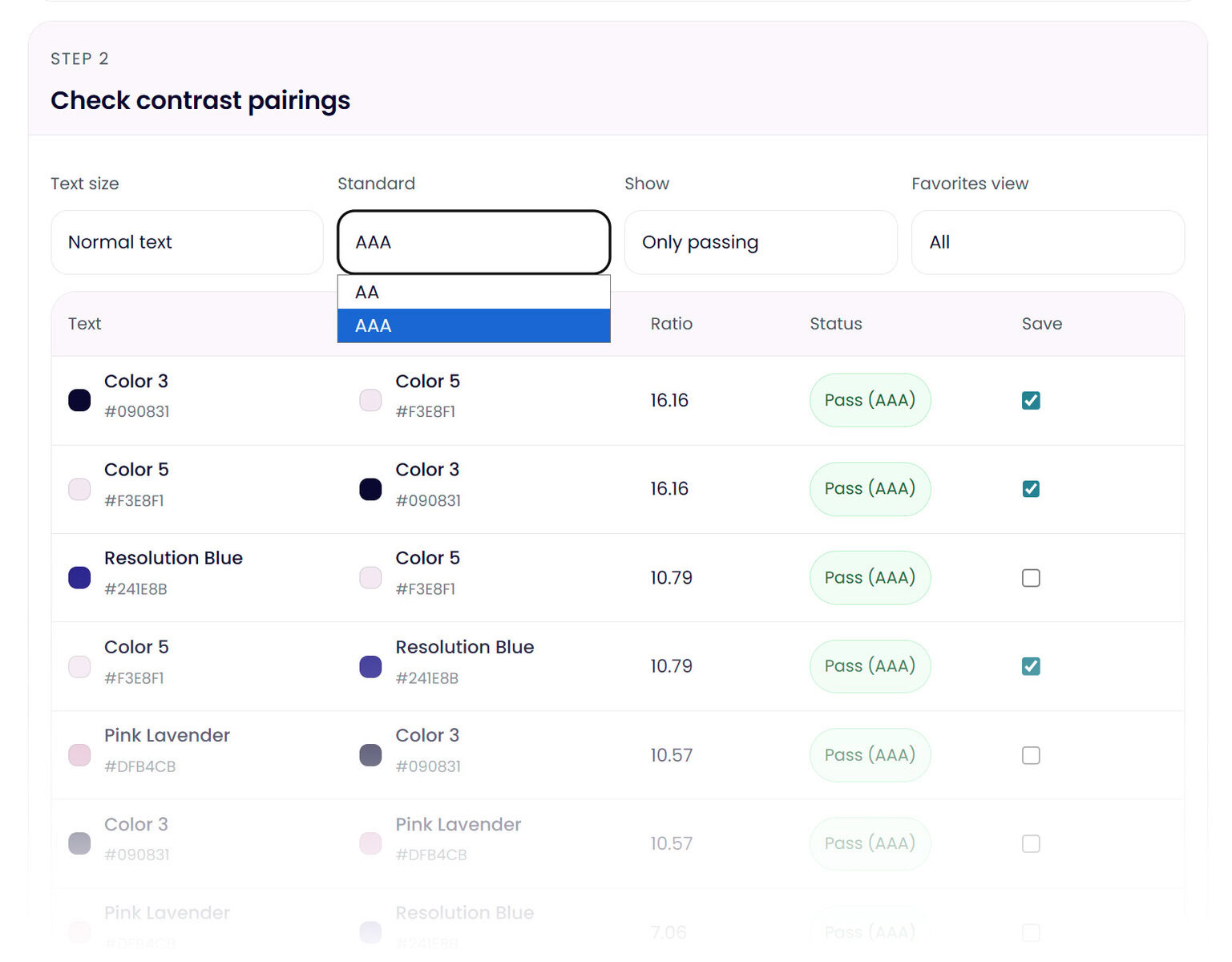
4. Validate Accessibility Before Implementation
One of the most common mistakes in website color systems is testing contrast too late.
Color pairings should be validated before they enter your production environment — especially for:
- Body text
- Headlines
- Buttons
- Navigation
- Interactive states
Storing color data without validating how those values behave together leads to costly revisions.
Accessibility should not be an afterthought. It should be part of the storage decision.
5. Prevent “Color Creep”
Over time, teams often introduce “just one more shade” to solve a design problem.
Without intentional controls, this slowly erodes brand cohesion.
If a new color enters the system, it should be tested, validated, and added intentionally — not quietly hardcoded into a single component.
That’s how palettes stay clean.
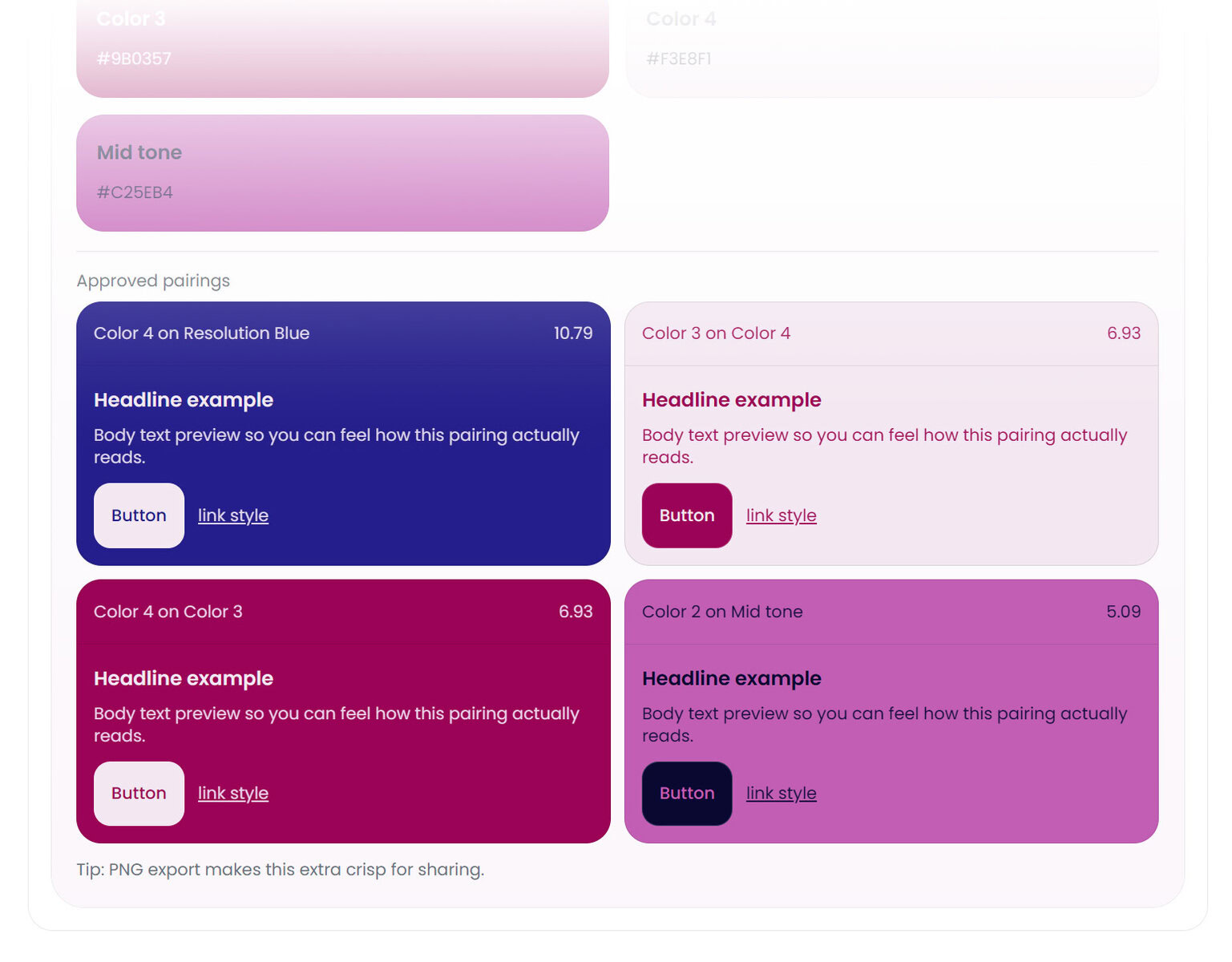
Validate Before You Store
Before colors become permanent variables in your codebase, they should be refined and tested in context.
Ask:
• Do these tones hold up across hierarchy levels?
• Do text and background pairings remain readable?
• Are contrast ratios safe for production?
• Does the palette feel balanced across real interface blocks?
Most teams discover color problems after implementation — when refactoring is expensive.
A smarter workflow is validating your palette before it becomes part of your system.
That’s exactly where Color Palette Lab™ fits.
Instead of guessing or manually testing combinations in isolation, you can:
- Lock brand colors while refining supporting tones
- Visually test real UI pairings
- Check contrast before deployment
- Export clean HEX values (and CSS variables) once finalized
It acts as a pre-implementation layer — helping you confirm that your stored color data is intentional before it enters production.
Because once color becomes part of your architecture, small inconsistencies compound.
Starting clean matters.
A website color palette isn’t just aesthetic. It’s structural.
When color information is stored intentionally, centralized clearly, and validated before deployment, your design system becomes easier to maintain, evolve, and trust.
Explore Color Palette Lab™