The Best Color Palette Tool for Brand Designers
If you’ve searched for a color palette tool, you’ve probably landed on the same handful of options: Coolors, Adobe Color, Paletton. They’re fine for what they are. But what they are is largely a generation engine. Hit shuffle, get something pretty, copy your hex codes, figure out the rest yourself.
That works when you’re looking for inspiration. It doesn’t work when you’re trying to build a brand color system that actually holds up.
There’s a difference between a palette that looks good and a palette that works — across a website, a set of social templates, a client presentation, a developer’s stylesheet. Most color palette tools don’t help you get there. They stop at the pretty part.
What Color Palette Tools Should Do
A real color palette tool for branding needs to do more than generate. It needs to help you test, refine, and export something usable.
Specifically, it should let you:
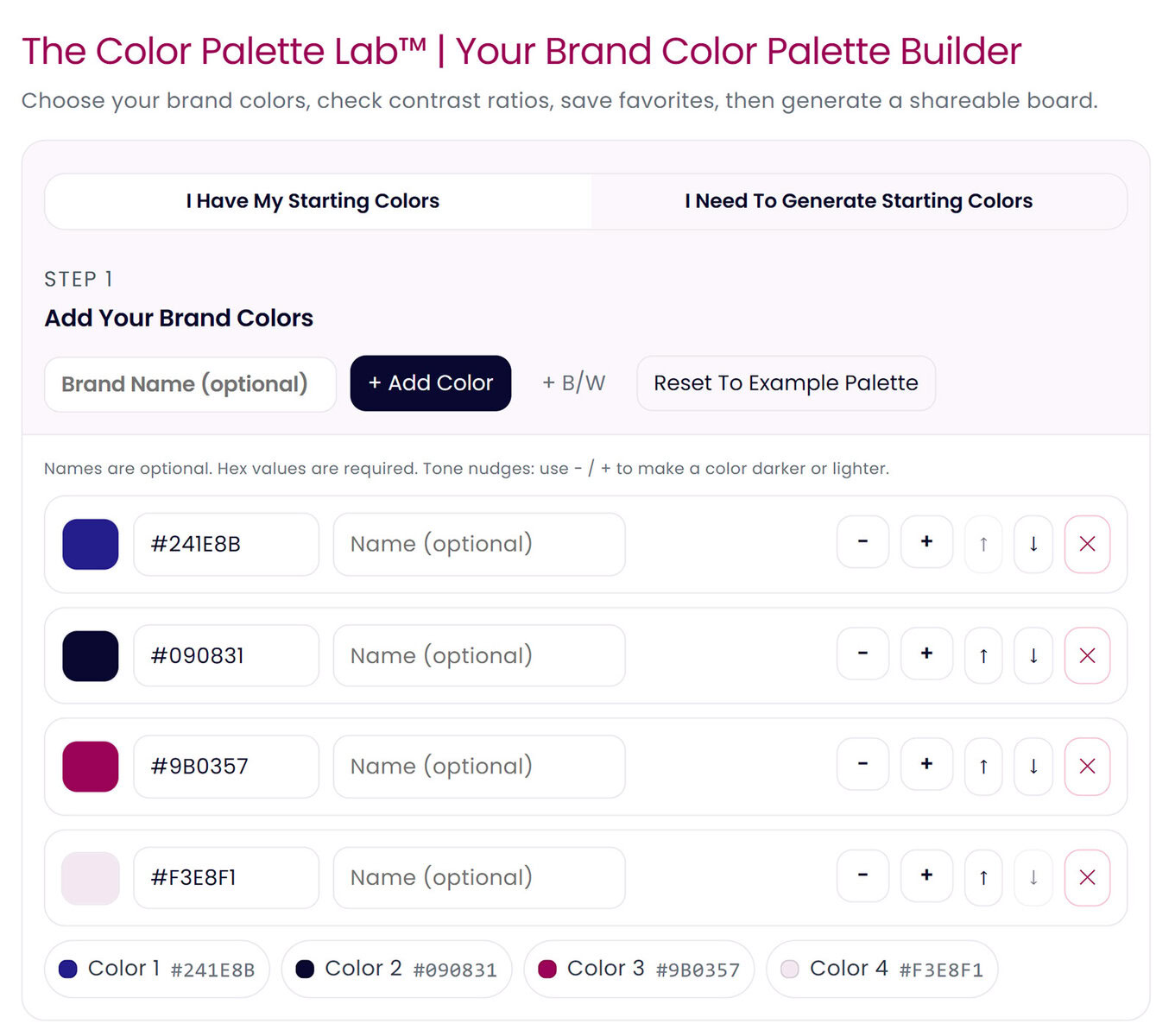
Work with colors you already have. If you’re building a brand, you usually have a starting point — a logo color, a client’s existing hex code, something. A good color palette tool lets you bring those in and build outward, not start from zero every time.
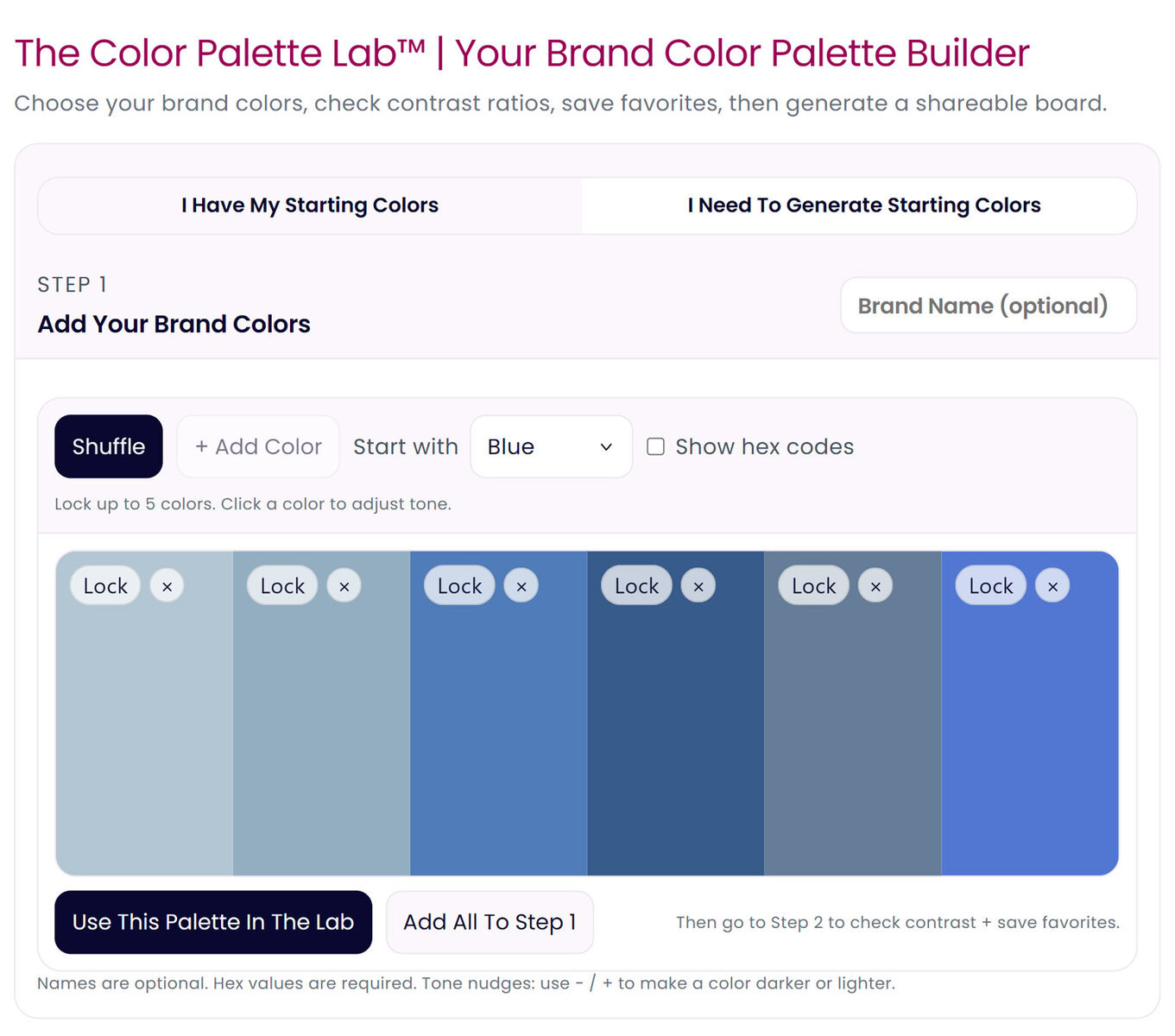
Generate when you need to. Sometimes you are starting from scratch. The tool should give you controlled generation — by color family, with lockable swatches — not just random chaos.
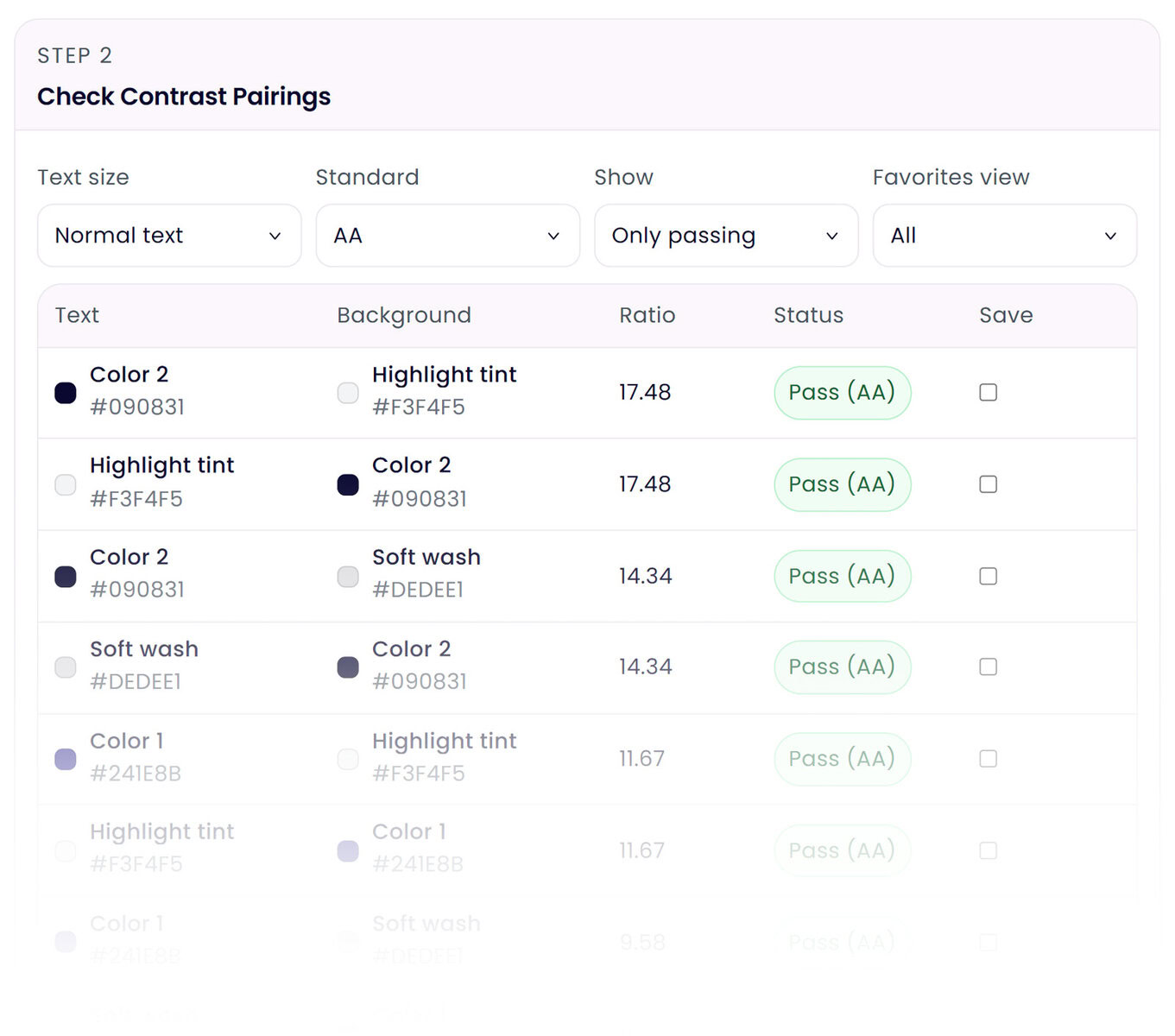
Test contrast automatically. WCAG accessibility standards exist for a reason. If your text color doesn’t pass contrast against your background, it doesn’t matter how beautiful the palette is. This should be built into the workflow, not a separate step.
Show you what the colors actually look like in use. Swatches lie. A color behaves differently when it’s a button versus a background versus body text. You need to see it applied before you commit.
Export in formats designers and developers can actually use. Hex codes are fine. CSS custom properties are better. Both should be ready to copy and paste.
Most color palette tools do one or two of these things. Very few do all of them in one place.
The Color Palette Lab™ Does All of It
The Color Palette Lab™ is a designer-built color palette tool that covers the full workflow — from first color to final export.
Here’s how it works:
Start with what you have or generate from scratch. Enter hex codes directly, use the color picker, or shift tones lighter and darker with simple controls. If you’re starting fresh, generate by color family, lock the swatches you want to keep, and shuffle the rest. You get up to six colors and can add them to your working palette when you find something you like.
Contrast testing happens in real time. As you build, the Lab automatically pairs your colors and runs WCAG contrast checks against AA and AAA standards — for both normal and large text. You see what passes, what fails, and what the actual ratio is. No tab switching. No manual testing.
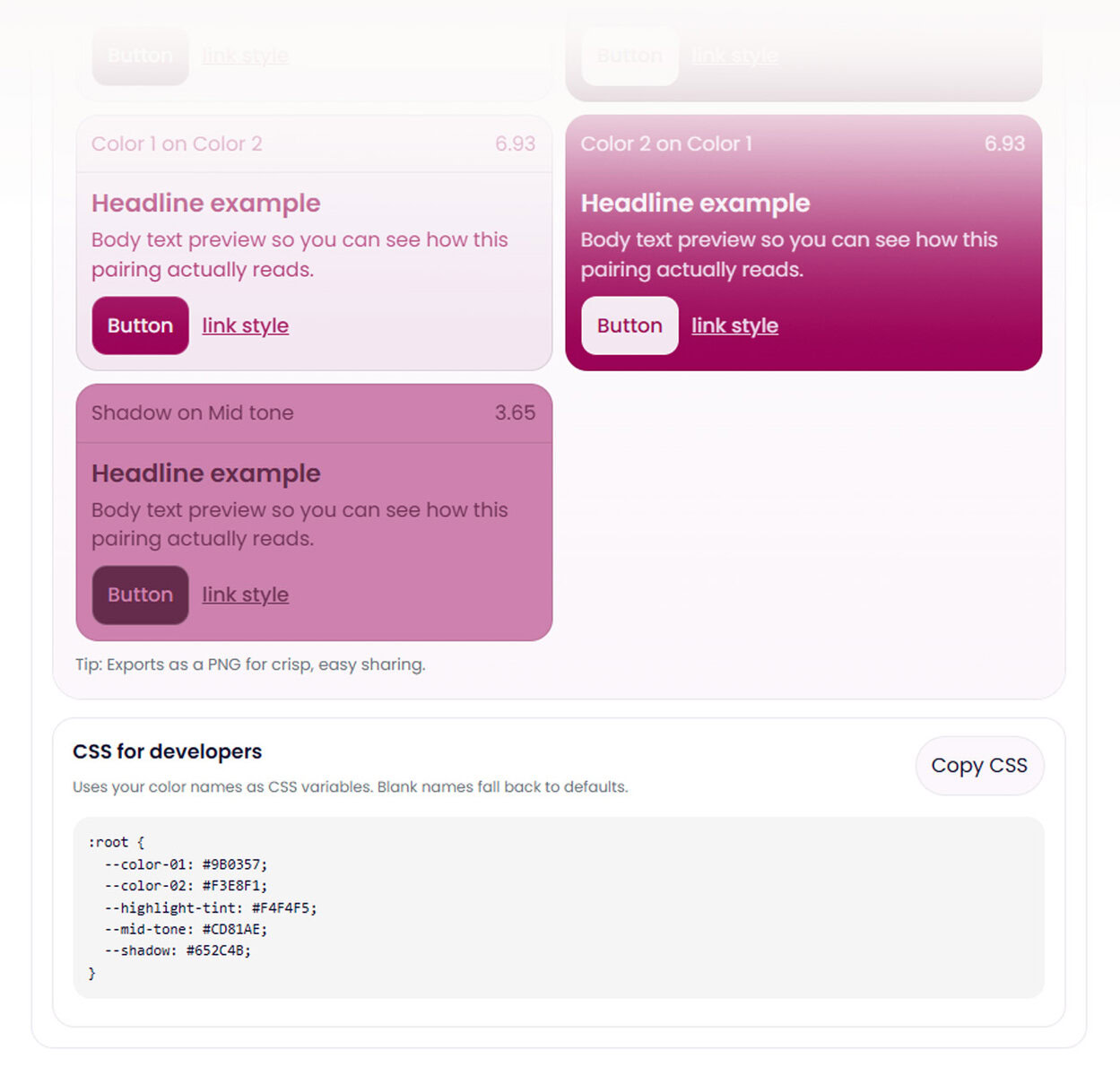
Preview combinations in real interface context. Approved pairings show you a live preview with headline text, body copy, a button, and a link. You see exactly how your colors behave when hierarchy and typography are involved — before you hand anything off.
Use the Harmonizer if your palette needs work. If your colors feel flat, lack tonal variation, or just aren’t clicking together, the built-in Harmonizer generates contextually aware suggestions based on your existing palette. Modes include Editorial, Coastal, Triad, Monochrome, Analogous, and Complement. It fills gaps in your tonal range and lets you re-test contrast instantly.
Name your colors and assign them to your brand. Custom color naming isn’t just organizational — it feeds directly into your CSS output. Your variable names, your system.
Export a palette board and developer-ready CSS. Download your finalized palette as a PNG to share with clients or collaborators. Copy a clean :root CSS snippet with your custom variable names to paste straight into a stylesheet.
Who This Color Palette Tool Is For
The Color Palette Lab™ was built for designers, developers, and small business owners who need more than a mood board.
If you’re a designer who’s tired of switching between three tools to do what should be one job — this is for you.
If you’re a developer who gets handed two brand colors and has to figure out the rest — this gives you a complete, accessible system to work from.
If you’re a business owner building or refreshing your brand and you want to know your colors actually work before you commit — this is where to start.
It’s a one-time purchase, no subscription, no login required. You get access to the full tool and can return to it anytime.