
Step Up For Students Scholarship Tracker (Free Download to Stay Organized All Year)
If you’re using the Step Up For Students scholarship, you already know…
keeping up with reimbursements can start to feel like a part-time job.
Between quarterly funding, submitted expenses, approvals, and what’s actually available to use, it’s not always easy to see the full picture at a glance.
Before anything else though — I just want to say how incredibly grateful I am for this program.
For years, I assumed we wouldn’t qualify because of income restrictions.
And it turns out… that simply wasn’t true.
So this is our first year using it — finally.
A little late to the party, but very, very grateful to be here.
And like most things in my world, when something starts to feel a little messy… I make something to bring clarity to it.
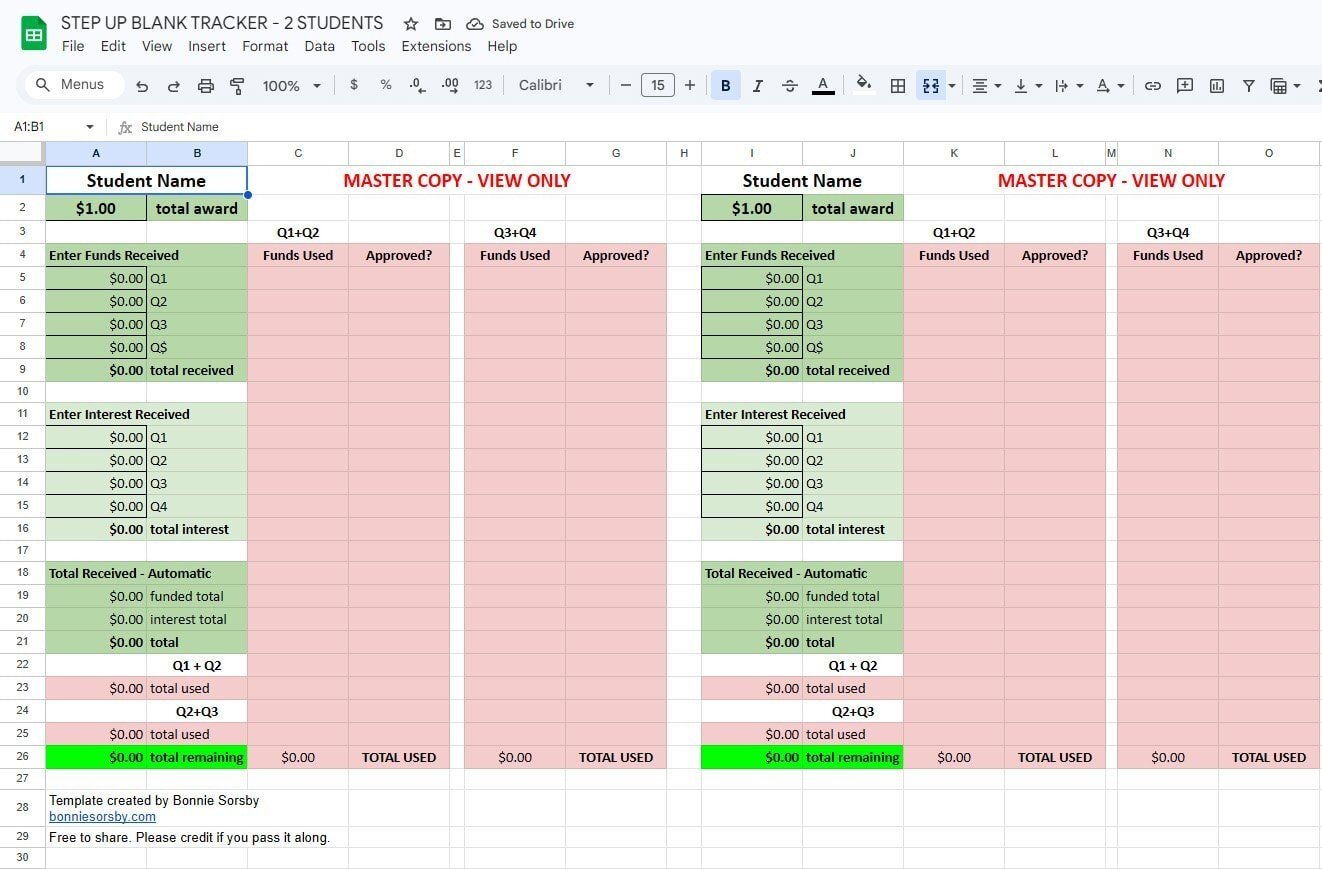
What This SUFS Tracker Helps You See
This tracker is meant to give you a clear, simple view of what’s happening across the full year — without digging through accounts or trying to piece it together in your head.
You can track:
- all four quarterly funding drops
- what you’ve spent and what’s been approved
- reimbursements across Q1–Q4
- interest, if applicable
- and your actual remaining balance in real time
It’s less about tracking every tiny detail and more about being able to see where you stand.
Why I Made This
I’m Bonnie — a designer, photographer, and homeschooling mom who tends to build systems when something feels harder than it needs to be.
Most of my work lives in that space between structure and creativity… whether that’s websites, brand systems, or simple tools like this that just make life feel a little more clear.
This one came directly from needing a better way to track things for our own family.
Make Your Own Copy of the Scholarship Funds Tracker
👉 Step Up For Students Blank Tracker
It will prompt you to make your own copy right away so you can start using it immediately.
It’s yours to use, tweak, and make your own.
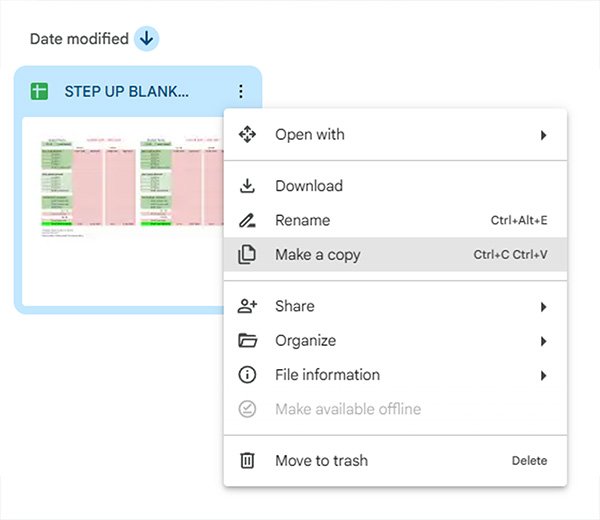
If you’ve never used a Google Sheet like this before, you can always go to:
File → Make a Copy
How to Use This Free Resource
You don’t need to overthink this, I promise.
Just:
- enter your quarterly funding amounts
- add expenses as you go
- mark what’s been approved
The totals update automatically so you always have a clear picture of what’s been used, approved, and what’s still available.
A Small Note
This isn’t affiliated with Step Up For Students in any way — just something I created to make the process feel a little more streamlined.
If it helps you, feel free to share it with another family who might need it too.
If you’re raising a creative kid or teen and want to explore things like design, websites, blogging, or content creation, I do offer creative mentorship as well.
You can learn more here:
Creatie Mentorship For Teens