
The Color Palette Lab™:
A Smart, Accessible Color Palette Builder
Most color palette tools give you inspiration. (like my free Color Palette Playground)
The Color Palette Lab™ however, gives you a usable system.
If you’ve ever generated a beautiful set of colors… only to realize they don’t pass contrast, don’t scale across layouts, or fall apart when you try to actually build with them — you know the gap.
The Color Palette Lab™ was built to close that gap.
It’s a structured color palette builder that helps you:
- Create or import brand colors
- Automatically test WCAG contrast
- Repair tonal gaps
- Preview real interface usage
- Export developer-ready CSS
Here’s exactly how it works.
See it in Action
Watch how the Color Palette Lab™ takes you from raw colors to a tested, export-ready brand palette in minutes.
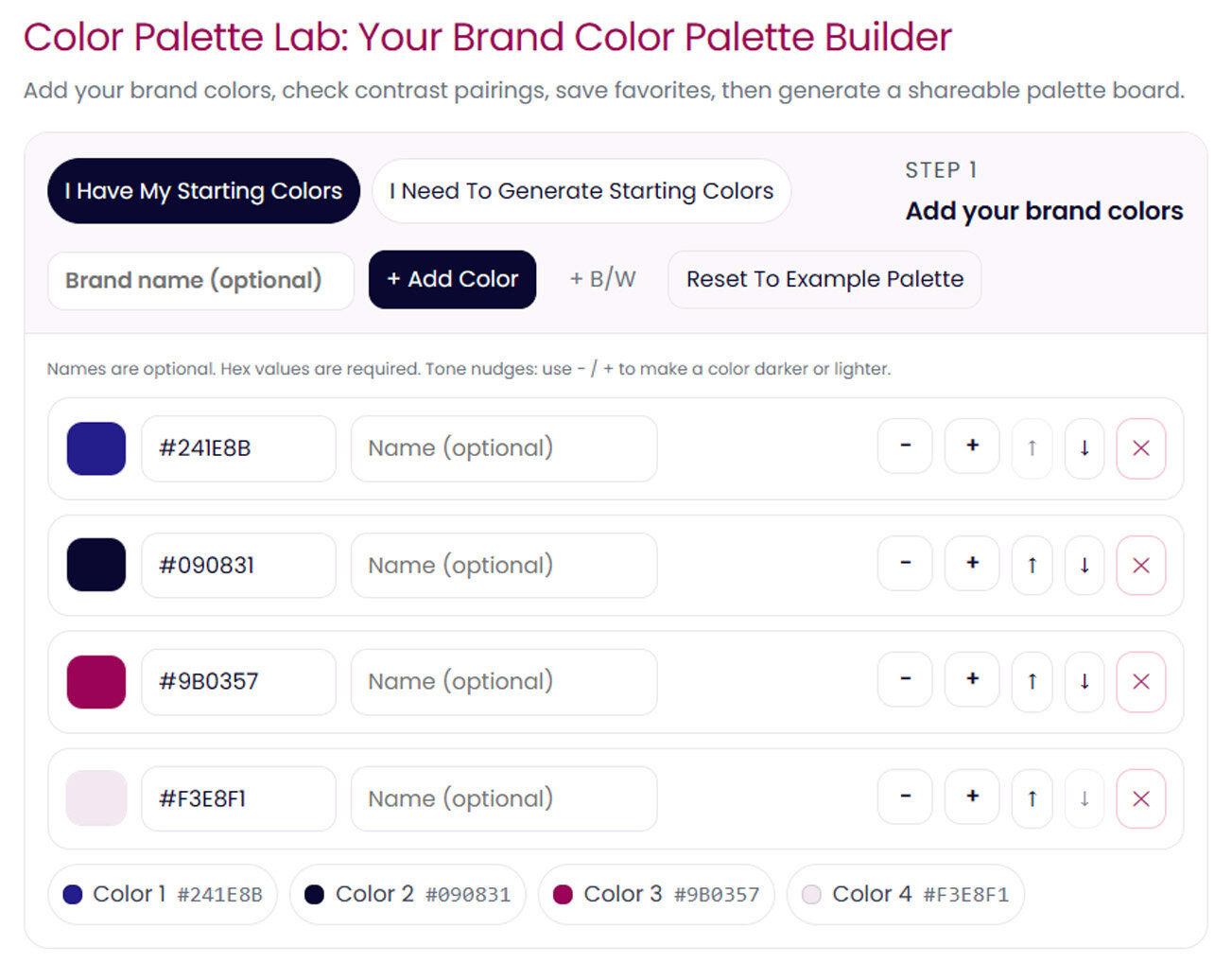
Step 1: Build or Import Your Color Palette
When you open The Color Palette Lab™, you can start in two ways.
Use Colors You Already Have
Already working with brand colors?
You can:
- Manually enter hex codes
- Use the built-in color picker
- Shift tones lighter or darker using + / – controls
- Adjust in real time
You don’t lose your brand — you strengthen it.
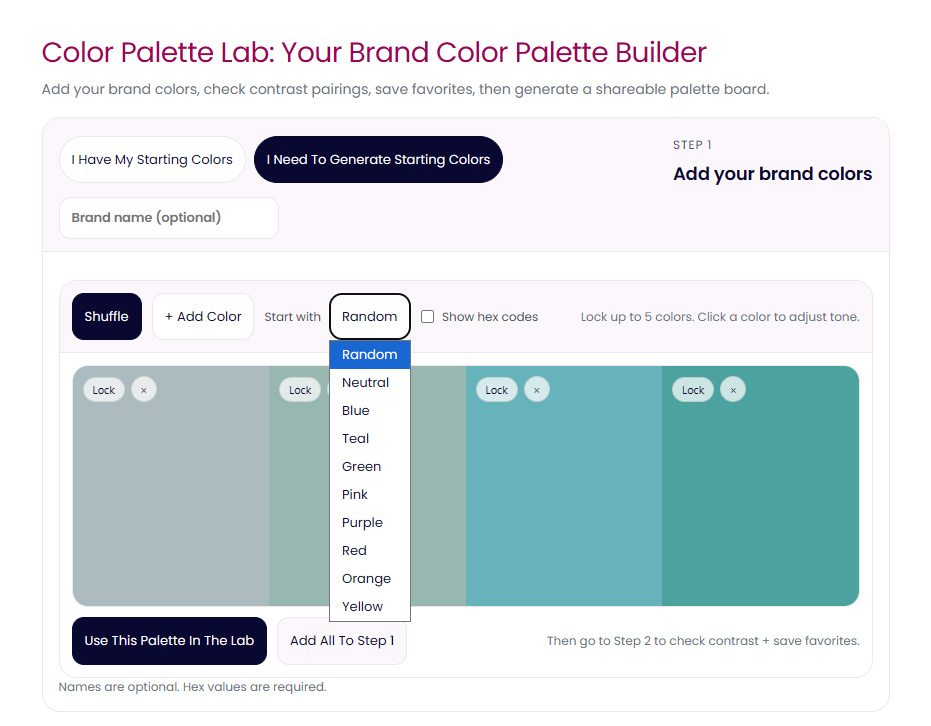
Generate a Palette From Scratch inside The Color Palette Lab™
If you’re exploring, you can generate:
- Fully random color palettes
- Specific color families (pink, blue, green, teal, neutrals, etc.)
- Up to six swatches at a time
You can also:
- Lock up to five colors
- Shuffle only selected swatches
- Switch color families without starting over
This isn’t chaotic randomness.
It’s controlled generation designed to produce usable combinations.
When you create something you love, you can:
- Add it to your working palette
- Or use it as your core brand set
Custom Naming + Brand Labeling
Before moving forward, you can:
- Add your brand name (included in final export)
- Custom-name each color
- Or use default structured naming
If you’re a developer, those names feed directly into your CSS output.
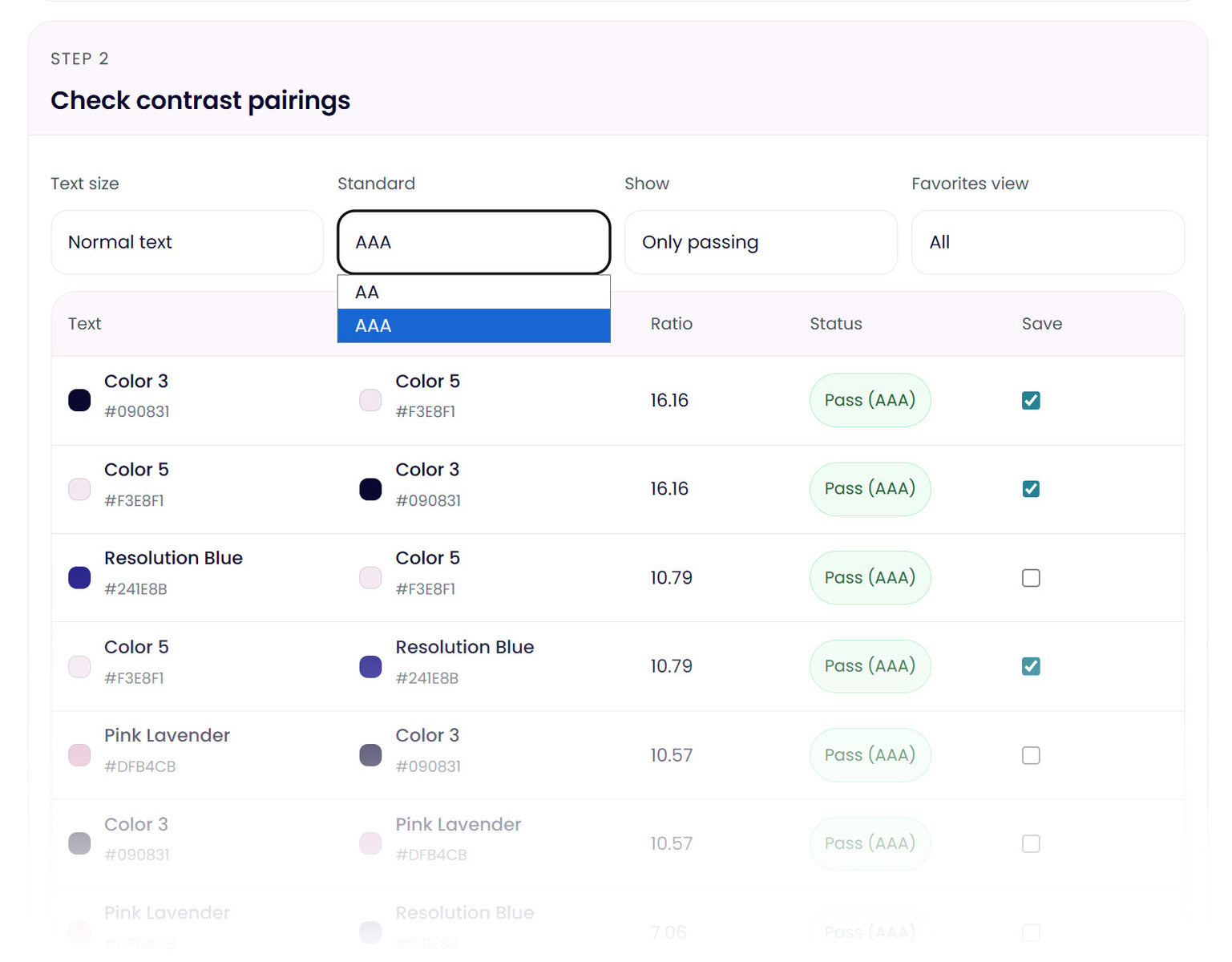
Step 2: Built-In WCAG Contrast Checker
This is where most palette generators stop.
The Color Palette Lab™ doesn’t.
Your colors are automatically paired as:
- Text on background
- Background with text
The system:
- Uses official WCAG contrast ratio calculations
- Defaults to Level AA for normal text (4.5:1)
- Displays contrast scores for each pairing
- Filters to show passing combinations
- Allows you to view failing combinations
- Lets you switch to large text standards
As you adjust colors in Step 1, the contrast results update in real time.
No switching tabs.
No manual testing.
No guessing.
The Color Palette Lab™ helps you build accessible color systems from the start.
An Accessible Color Palette Builder Built Into the Workflow
Most tools generate colors first and leave accessibility as an afterthought.
Color Palette Lab™ acts as an accessible color palette builder, checking contrast and filtering usable combinations as you build your palette.
Favorite and Build Your Official Pairings
When you find color combinations that work, you can favorite them.
Those saved pairings create your official palette board below — forming the practical combinations you’ll actually use in design.
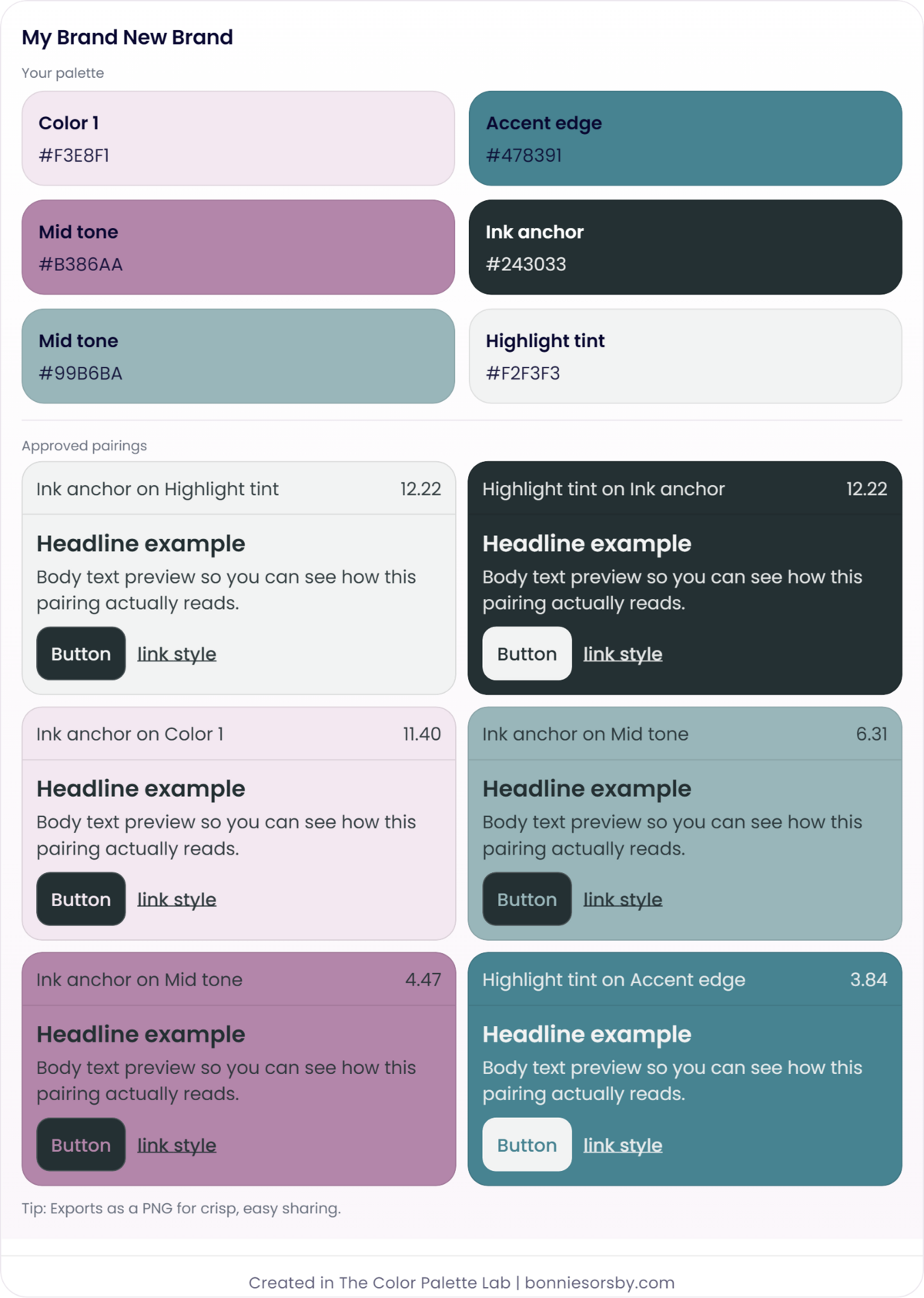
Real Interface Preview
Approved color pairings aren’t just shown as swatches.
Each combination includes a live preview featuring:
- Headline sample
- Body text example
- Button styling
- Link styling
You see what the colors look like in real application.
Because as I’m sure you well know, colors behave differently when typography and hierarchy are involved.
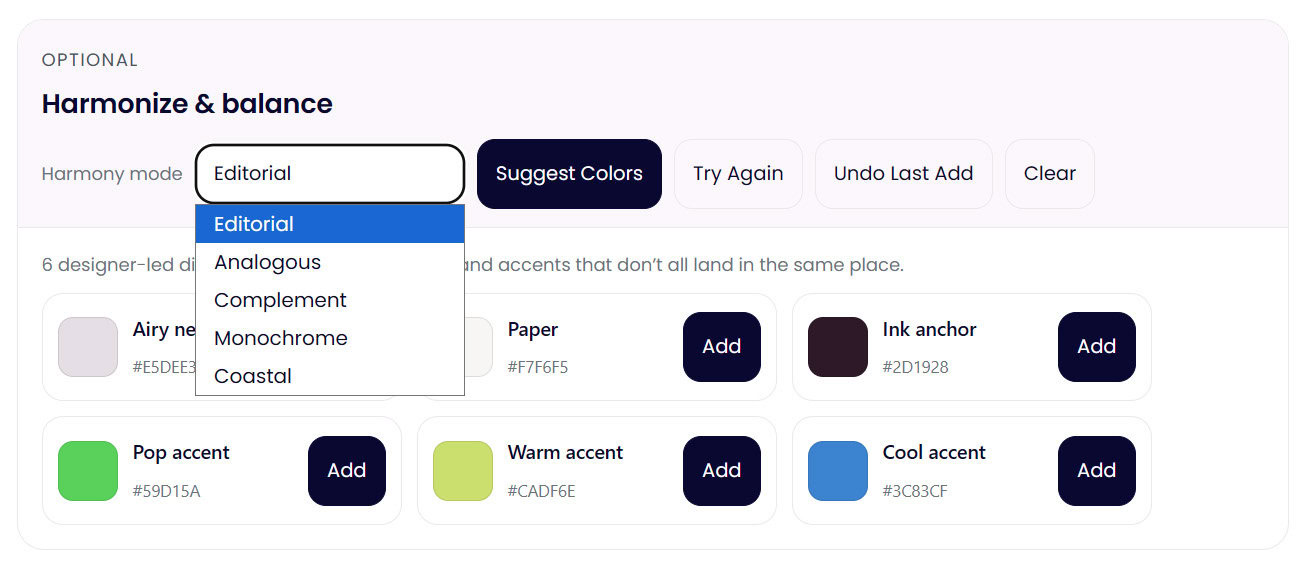
Optional: Harmonize and Balance Your Palette
If your palette:
- Lacks contrast
- Feels flat or just off
- Doesn’t include enough tonal variation
You can use the built-in Harmonizer.
Harmony modes include:
- Editorial
- Triadic
- Monochrome
- Analogous
- Complement
- Split Complement
The system generates:
- Light tones
- Mid tones
- Dark tones
- Accent colors
Based on your existing palette.
It’s a controlled generator, not a randomizer.
It fills tonal gaps so you can build a functional brand color system.
You can shuffle through variations, add what works, and re-test contrast instantly.
It’s iterative.
Structured.
And fast.
Final Output: Export and Deploy
When your palette is finalized, you can:
- Favorite/unfavorite pairings until presentation feels right
- Download your complete palette and approved combinations as a PNG
- Access everything from desktop or mobile (web-based tool)
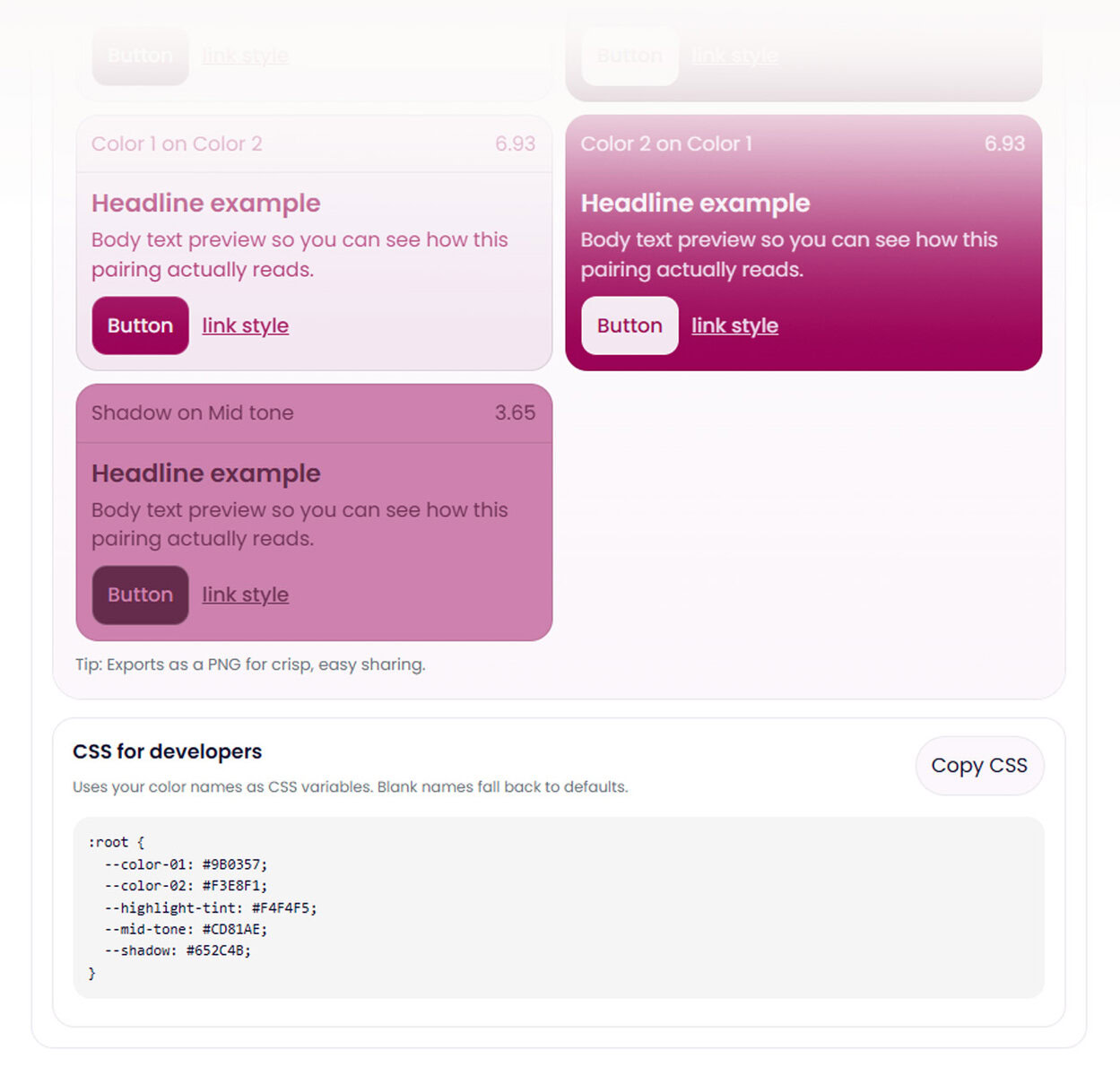
Developer-Ready CSS Export
At the bottom of The Color Palette Lab™, you’ll find a clean :root CSS snippet generated from:
- Your finalized palette
- Your custom color names
Copy.
Paste.
Deploy.
Perfect for:
- Websites
- Apps
- Design systems
- Component libraries
If you rename your colors, the CSS respects your naming system.
If you don’t, it defaults to structured variable names.
Curious about Website Color Palette Storage Best Practices? You might enjoy this blog post.
Built With Accessibility in Mind
The Color Palette Lab™ uses official WCAG contrast ratio standards to evaluate color pairings.
It helps designers and developers:
- Identify AA and AAA-passing combinations
- Understand contrast ratios
- Build accessible brand systems
While accessibility compliance depends on more than color alone, the Lab gives you the tools to make strong, standards-aligned color decisions from the beginning.
Why This Is Different From Other Color Palette Generators
Most tools do one thing:
- Generate random colors
- Show a contrast number
- Suggest harmony combinations
The Color Palette Lab™ integrates:
Creation.
Testing.
Refinement.
Export.
In one structured workflow.
It’s not just about finding pretty colors.
It’s about building color systems that hold up in real-world design.
Ready to build with intention?
Explore The Color Palette Lab™ >>