
How to Mock Up Framed Art, and Why a Live Preview Beats a Static Image
An art mockup is a digital preview of a piece inside a frame, used to show how it would look before anyone spends money on framing, photography, or a print. If you sell original work, it saves you a studio shoot for every piece. If you’re buying, it helps you settle on a frame and mat before committing to either. I built one into my own shop this month, and it works differently from the mockup tools most artists already know about.
What Is an Art Mockup?
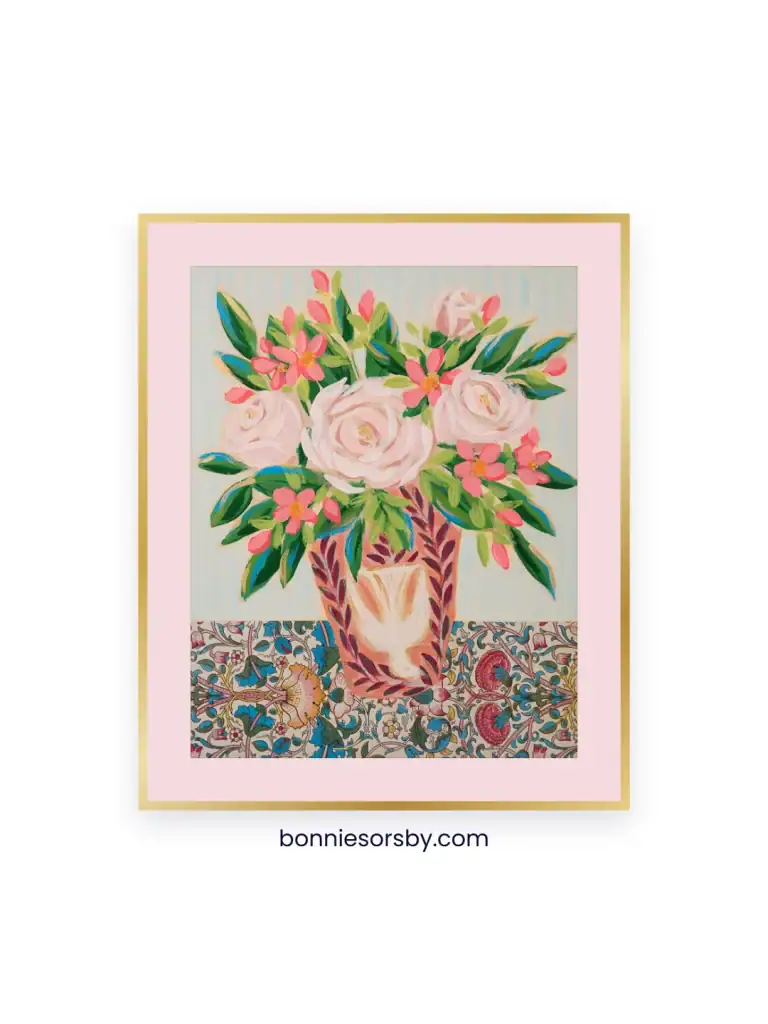
An art mockup places a piece of artwork inside a frame, usually against a wall or room photo, so a buyer can judge scale, framing, and how it would look hung. A painting photographed flat with no frame and no sense of scale asks the viewer to imagine the rest, and most people will not do that work. A mockup closes the gap by showing the finished thing instead of a piece they still have to picture.
Free Art Mockup Tools and Generators
There’s a real toolkit already built around this. Dedicated apps like Insitu Art Room, Smartist, Placeit, and ArtPlacer let you upload a piece, scale it to its real dimensions, and drop it into a frame against a room photo. Newer AI generators like Dynamic Mockups, Renderforest, and Mockey do a similar job with less setup. Canva works for a simpler version: search a frame template, drag your artwork into it, add a drop shadow so it reads as sitting on the wall instead of pasted on top. Photoshop goes further still, with smart object templates that warp the art into a room’s actual perspective and lighting.
Every one of these produces the same kind of output: one finished image, generated per piece, per frame choice, saved and uploaded somewhere else to be seen. That’s exactly what you need for a listing photo. It’s a different job from what happens on a product page while someone is deciding whether to buy.
A Static Mockup Image Compared to a Live Frame Preview
A mockup generator answers one question at a time: here is this piece, in this frame, as an image. Changing the frame means generating another image. That’s the right tool if you’re building a shop’s worth of listing photos ahead of time.
A live preview sits on the product page itself, where the shopper already is. They pick the frame, the mat, the color, right there, in real time, while deciding whether to buy. No image gets pre-generated and no account gets created. The difference is where the decision happens: before the listing goes up, or while the customer is standing in front of it.
Try a Frame: A Live Mockup Built Into WooCommerce
I built Try a Frame for my own shop, and it’s free to use. Pick a painting, choose how it’s framed, canvas floated with a gap, canvas board framed directly, or paper matted under glass, and the tool shows each piece the way that medium gets framed, instead of dropping one generic frame style over everything.
From there you can work through maple, cherry, gold, silver, champagne, white, or black, adjust how thick the frame reads, and for paper pieces pick a mat color, a second inner mat, or skip the mat entirely for a piece framed with just a spacer. A custom color picker covers anything the presets don’t, and most browsers let you pull that picker’s own eyedropper straight off the artwork to match a color already in the piece. Once it looks right, save the image or copy it straight to your clipboard, sized to post.
It only knows the pieces already in my shop, built against my own catalog instead of a generic uploader. That’s the trade for sitting directly on the product page, answering the frame-and-mat question in the moment someone is deciding to buy.

Turning the Mockup Into a Real Frame
A mockup settles the combination. The piece still needs real materials behind it once you know what you’re after, especially if it’s an original and not a print. I wrote up what that involves in How to Frame Original Artwork, canvas, canvas board, and paper all take different handling, and the mat and glass choices that protect one can damage another. If you’re shopping for the frame itself, How to Find Quality Frames for Your Artwork and Photos covers what separates a frame worth keeping from one that won’t last.
Frequently Asked Questions
What is an art mockup?
A digital image of artwork placed inside a frame, used to show how a piece would look finished and hung before any physical framing happens.
Do I need Photoshop to mock up framed art?
Photoshop gives the most control over lighting and room perspective. Canva, dedicated mockup apps, and browser-based tools like Try a Frame all produce a usable result with a plain web browser.
What’s the difference between a mockup generator and a product page preview tool?
A mockup generator produces a single finished image for use elsewhere, a listing, a social post, a portfolio. A product page preview tool runs live on the page itself, so a shopper can try different frames and mats in real time while deciding whether to buy.
Can I use a mockup to decide on a mat color before I buy a frame?
Yes, that’s one of the most useful ways to use one. Seeing a piece against several mat colors side by side catches a wrong pairing before you’ve paid a framer to cut the mat.
Can I get a live frame preview tool built into my own WordPress or WooCommerce site?
Yes. This runs natively in WordPress and WooCommerce, no third-party plugin or app subscription involved, and I build versions of it for other sites through Custom Digital Solutions as a custom project, priced per build.
Want to try it yourself? Pick a piece and try a frame, or if you run an art or design business and want something like it built into your own site, get in touch through Custom Digital Solutions.
To see finished work you can try in a frame, explore original work.